Claude Code and I built my daughter a Custom Summer Tracker
I built my daughter a personalized summer app in an afternoon

The Problem This Summer
My 7-year-old has finally started getting homework, and her teachers are recommending pre-work before next year but we had no system to track it. And if it’s just me telling her each day what to do, I’ll have to nag, she’ll get annoyed, and it’ll just be no fun.
What I Built (And Why It Works)
Her summer has a lot of moving parts: short sports camps, music, reading (English, Chinese), math, etc. Too many to track in my head or her head.
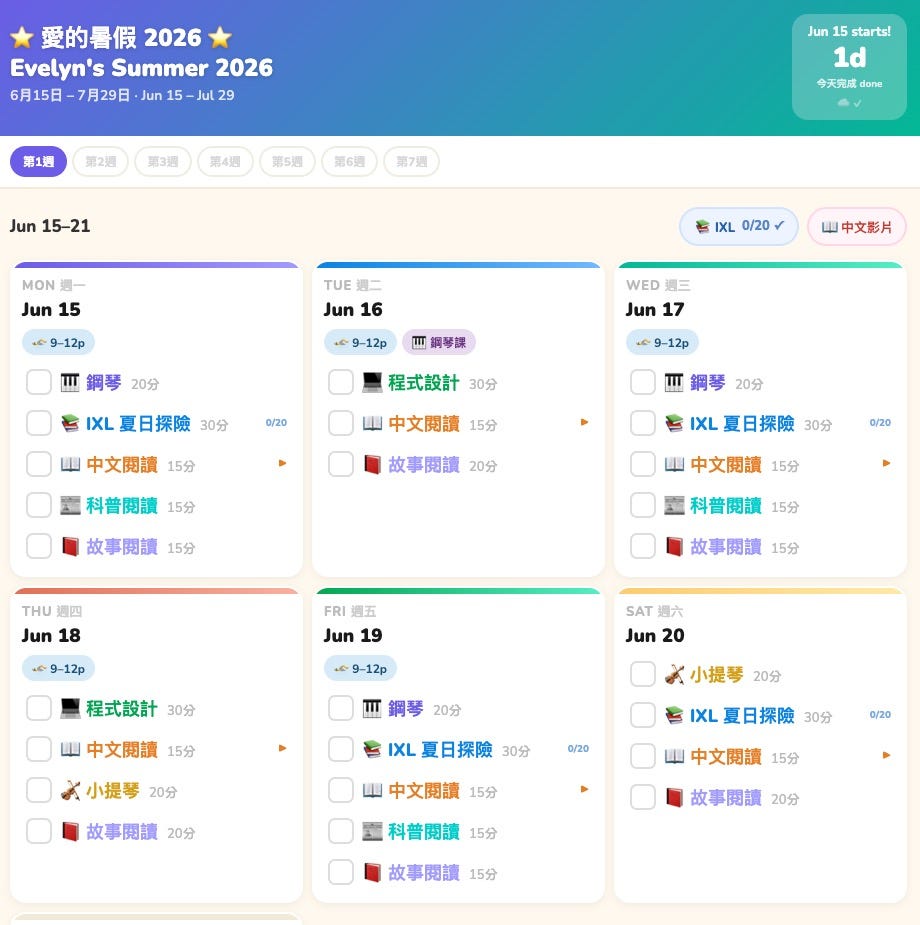
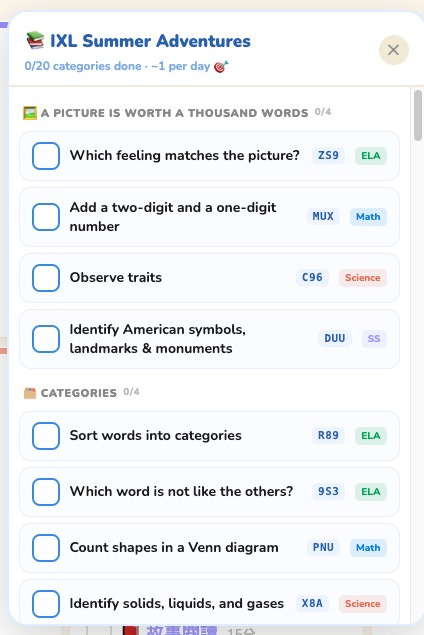
I used Claude Code to build her a personalized summer tracker that lives at its own URL (evelyn2026summer.lisaannechung.com). Here’s what’s in it:
📅 A week-by-week view of her whole summer: every week laid out, color-coded by day, with her calendar baked in.
✅ Bilingual tasks in English + Chinese: it’d be Chinese only if I could, but I can’t read it hah!
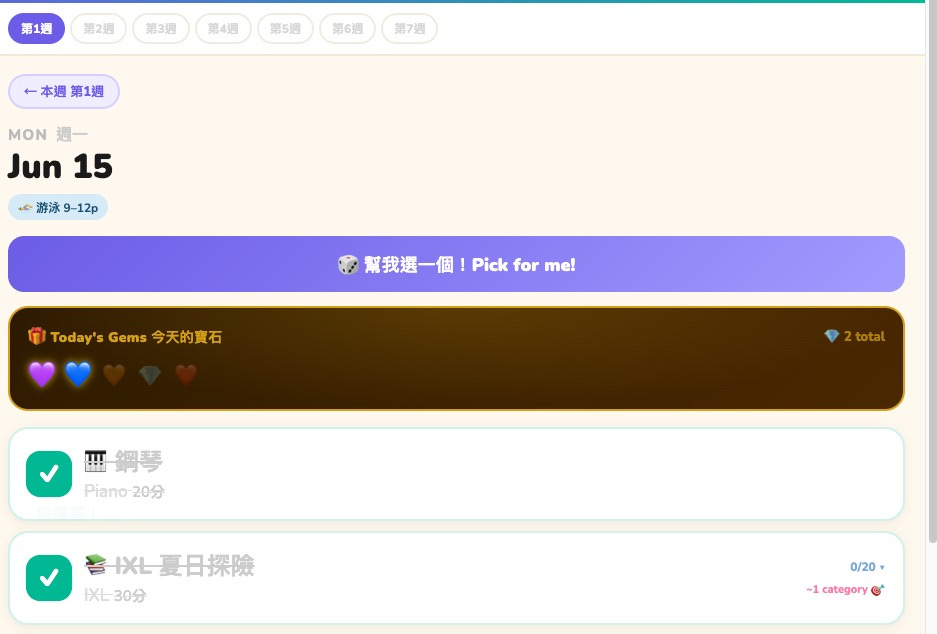
🎲 A “Pick for me!” button: this ended up being the most interesting design insight. Evelyn much prefers the AI suggesting what she does next over me telling her, or even choosing herself. Makes her feel like she’s playing a game. I learned this from the soccer drills app I built for my husband to practice with her. She and her little sister will jump up and down screaming “LET’S PLAY SOCCER, I WANT TO SPIN THE WHEEL.”
📱 Syncs across devices: I see her progress from my phone, she checks things off on the iPad.
💎 A treasure chest that fills with gems (she likes collecting real life gems, so hoping this translates digitally) every completed task earns a colored gem: purple for piano, green for coding, blue for IXL. We deliberately didn’t tie gems to external rewards like screen time or treats. The goal is for practice itself to feel satisfying; the gems are just a visual record of effort. We’ll see if it holds. 🤞
Did it work?
The first time she opened it she immediately hit “Pick for me!” and ran off to practice piano (whew, since her next lesson is tomorrow.) Her only feedback so far is that she prefers 💎 gem design vs 💙 “gems.” That’s a win!
How I Built It (Without Being an Engineer)
I described what I wanted in plain language through a one-pager. I directed; Claude built. We went back and forth over a few sessions, adding features, tweaking the design, fixing things that didn’t work quite right.
You Can Build This Too
Give it a one pager (like a short PRD), paste it into Claude Code and go from there (assuming you’ve given it the right context/skills too). Add features as you need them and iterate! You don’t need to know how any of it works under the hood. Treat it like a smart employee, describe the outcome you want, not how to do it.
These personalized apps you can build for yourself and your family are still my favorite use of AI: tools that finally fit your exact need.